Use our free employee schedule templates to plan weekly shifts and organize staff coverage for your small business.
Choose from eight templates, customize fictional employee names and shifts, then download PDF, CSV or Excel (.xlsx). You can also open the complete example in the weekly scheduler. Templates are planning aids, not staffing or compliance recommendations.
Want to create your own schedule? Try our free Employee Schedule Maker.
Blank Weekly Employee Schedule
A clean seven-day grid with space for six team members.
How to use this template
Enter employee names and roles, then add shifts in the editor. Blank downloads are intentionally empty. In Excel, edit Employees and Shifts; the schedule grid and hours recalculate.
Restaurant Staff Schedule
Plan kitchen preparation, service, and closing coverage.
How to use this template
Replace the fictional team with your own kitchen and service roles. Review coverage around preparation, busy service and closing. Closing shifts may end the next day.
Retail Staff Schedule
Organize opening, shop-floor support and weekend coverage.
How to use this template
Adapt opening, sales and stock shifts to your trading hours. The fictional example includes shorter weekend shifts; check your actual demand before assigning people.
Small Business Team Schedule
A practical weekly plan for a lead, support and operations.
How to use this template
Replace the example names and roles. Use the scheduler to split shifts or adjust individual days. Check handovers, availability and breaks before sharing.
Monthly Employee Schedule
Plan the actual dates in a selected calendar month.
How to use this template
Choose any date in the month you need; the template starts on that month’s first day. Exports include every date, including leap days. The scheduler keeps the whole month and displays it one week at a time.
2-2-3 Rotating Shift Schedule
A two-week work/rest rotation with complementary teams.
How to use this template
This is a 14-day 2-on, 2-off, 3-on / 2-off, 2-on, 3-off duty pattern. Day A and Night A work one pattern; Day B and Night B work the opposite. Fictional representatives remain on assigned day/night shifts; this example does not automatically rotate day and night assignments.
Night Shift Schedule
Make next-day finishes and unpaid breaks explicit.
How to use this template
End times before start times mean the following day. The full shift belongs to its start date. Review daylight-saving changes separately; calculations use wall-clock time.
Part-Time Employee Schedule
Plan shorter morning, evening and weekend shifts.
How to use this template
Confirm each person’s availability before assigning the shorter shifts. Breaks in this example are planning inputs, not recommendations about paid or unpaid break entitlements.
All examples are fictional. Files are created in your browser. No registration or paid service is required.
PDFs are printable downloads. CSV is a simple grid. Excel includes editable Employees and Shifts sheets, a linked schedule grid and paid-hour formulas. Choose the date before downloading; monthly templates use the whole selected month.
Choose a template by the work you need to cover
Restaurant: Separate preparation, service and closing coverage. Confirm role skills and availability before assigning people.
Retail: Start with opening hours, then look at deliveries, busy periods and closing duties. Avoid assuming every day needs the same staffing.
Small team: Map essential work first, then add breaks and handover time. Share a draft early enough for availability changes.
Adapt before you share
Replace fictional names, enter real availability, confirm break rules, and check totals. Download a JSON backup if you work in the browser editor.
How to Use Free Employee Schedule Templates
Our free employee schedule templates help small business owners organize weekly shifts, plan staff coverage, and manage employee working hours. Choose from eight customizable schedule templates and adjust employee names, shifts, and working days to match your business needs. Download your completed schedule in PDF, Excel, or CSV format, or use our free online Employee Schedule Maker to build a weekly schedule from scratch. These templates are useful for restaurants, retail stores, cafés, and other small businesses looking for a simple way to plan employee schedules.
Benefits of Using Employee Schedule Templates
Using free employee schedule templates can make weekly shift planning easier for small business owners. Instead of creating a schedule from scratch every week, you can start with a ready-made layout and customize it for your team.
Save time on weekly planning: Organize employee shifts faster with a reusable schedule template.
Improve staff coverage: See which employees are scheduled each day and identify gaps before the workweek begins.
Keep schedules organized: Maintain a clear weekly plan that employees and managers can easily understand.
Choose a convenient format: Download your schedule in PDF, Excel, or CSV format for printing, editing, or sharing.
Reduce scheduling confusion: Give your team a consistent schedule that clearly shows working days and shift times.
Whether you manage a restaurant, retail store, café, or another small business, employee schedule templates provide a simple starting point for organizing staff shifts.
Create Your Own Weekly Employee Schedule Online
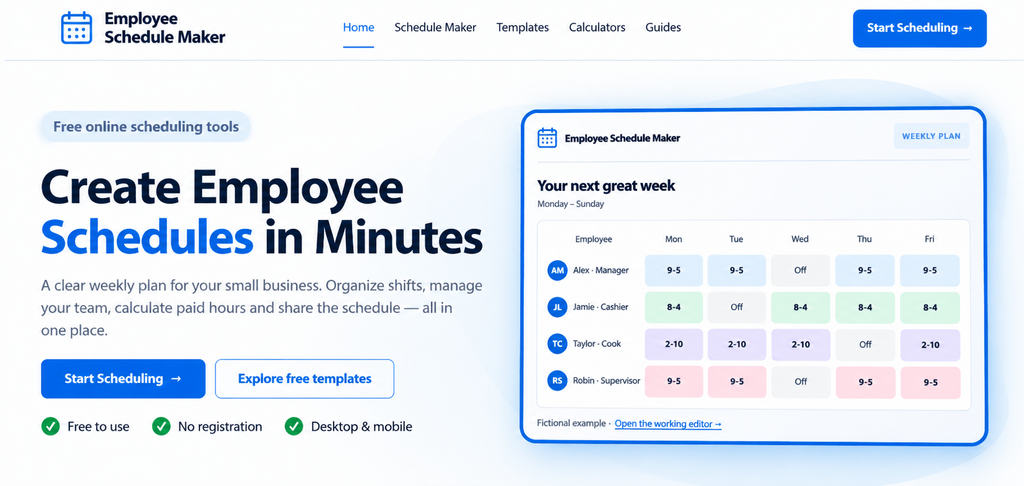
Need a schedule that fits your team? Try our free Employee Schedule Maker to create a customized weekly work schedule online.
Add employees, organize shifts, review scheduled hours, and prepare a clear weekly plan for your small business. You can also print or export your schedule.
Start creating your free employee schedule today — no complicated setup required.
Try Our Free Employee Schedule Maker.
More Resources for Employee Scheduling
When planning employee shifts, it’s important to consider working hours, rest breaks, and applicable employment rules. For businesses in the United States, the U.S. Department of Labor provides useful information about wages and working hours.
U.S. Department of Labor — Hours Worked
For businesses in the United Kingdom, GOV.UK provides guidance on working time rules, rest breaks, and weekly working hours. Check the rules that apply to your employees when preparing work schedules.